🎲Operator API Overview

Core APIs for Operator API

Operator API caters to all Operators whose goal is to integrate games into a third-party application through Hub88. For this, the following types of APIs are provided:

  • Games API - allows Operators to request and receive the list of available games, which are provided and implemented by Hub88.

  • Wallet API - an API for Seamless wallets, which Hub88 triggers to update the user's balance. For this API, the Operator needs to provide corresponding endpoints based on the given API structures.

  • TransferWallet API - an optional API for Transfer wallets, which is available by request. The API provides a way for the Operator to deposit money to the player's account, withdraw money from the player's account and get the player's balance. Availability of TransferWallet API is per request.

  • Freebets API - an API for granting rewards, such as free spins, free bets and prizes to one or multiple users. First-time user's bonuses are supported by most suppliers, however, in some cases a player must interact with the game before a free bet can be granted.

  • Recommendations API - Games' recommendation to an Operator based on player's interactions (game plays) on Hub88 platform.

  • Transactions API - an API which provides a list of all user's gameplay transactions.

  • On-Demand API - Specialized APIs available upon request. For accessing or setting up this functionality, please contact your technical contact on Hub88's side.


Operator SDKs

Operators looking to integrate with Hub88 have the option of utilizing two distinct Software Development Kits (SDKs). These SDKs provide the necessary tools and interfaces to seamlessly connect and manage various functionalities within the Hub88 platform.


Getting started

To get started with setting up your integration with Hub88, you'll need to have the following:

  • a public API key provided by Hub88;

  • a private / public key pair that you generate yourself;

  • an Operator ID provided by Hub88;

  • a Game ID provided by Hub88.

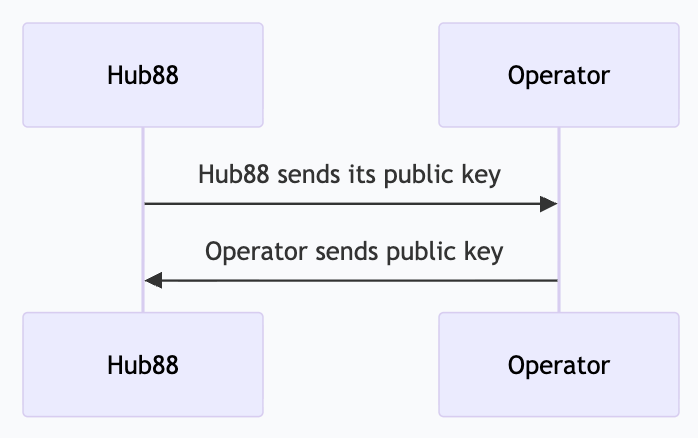
To receive a public key provided by Hub88, you'll need to contact [email protected]envelope. They'll trigger the process from technical integrations side, the process should be as follows:

1

Receive a public key sent from Hub88.

2

To generate a private / public key pair on your side, run the following commands:

  • openssl genrsa -out private.pem 2048

  • openssl rsa -pubout -in private.pem -out public.pem

3

Send the public key to Hub88. Hub88 uses this public key to verify the Games API requests.

Request signing logic for Operator API

The body of all requests will be signed with RSA-SHA256 using the respective private key and encoded to BASE64. The signature will be placed in the X-Hub88-Signature header.

Request signing for Operator API
  • Games API

    • All Games API requests have to be signed by Operator.

    • Hub88 verifies all Games API requests using the public key provided by the Operator.

  • Wallet API

    • All Wallet API requests have to be signed by Hub88.

    • The Operator needs to verify all Wallet API requests using the public key provided by Hub88.

  • All TransferWallet API requests must be signed by the Operator.

We have code examplesarrow-up-right in a few programming languages, to get you started.

circle-info

X-Hub88-Signature error:

Ensure the X-Hub88-Signature has no whitespaces or beautifiers. The signature must match the body exactly—any difference will result in an "invalid signature" error.

Example:

Request consistency

Wallet API requests have to be idempotent. All transactions contain a transaction_uuid field. The Operator has to ensure that requests with the same transaction_uuid are not processed twice, while the response has to be the same for all duplicate requests. The operator may ignore the idempotency requirement for the /user/balance call.

Last updated

Was this helpful?