> For the complete documentation index, see [llms.txt](https://docs.hub88.io/llms.txt). Markdown versions of documentation pages are available by appending `.md` to page URLs; this page is available as [Markdown](https://docs.hub88.io/product-news/june-2025/introducing-end-to-end-onboarding-and-integration-set-up.md).
# Introducing End-to-End Onboarding and Integration Set-Up
Designed to get you live faster, with full visibility and a smooth start with Hub88
**Released: 3 June 2025**
***
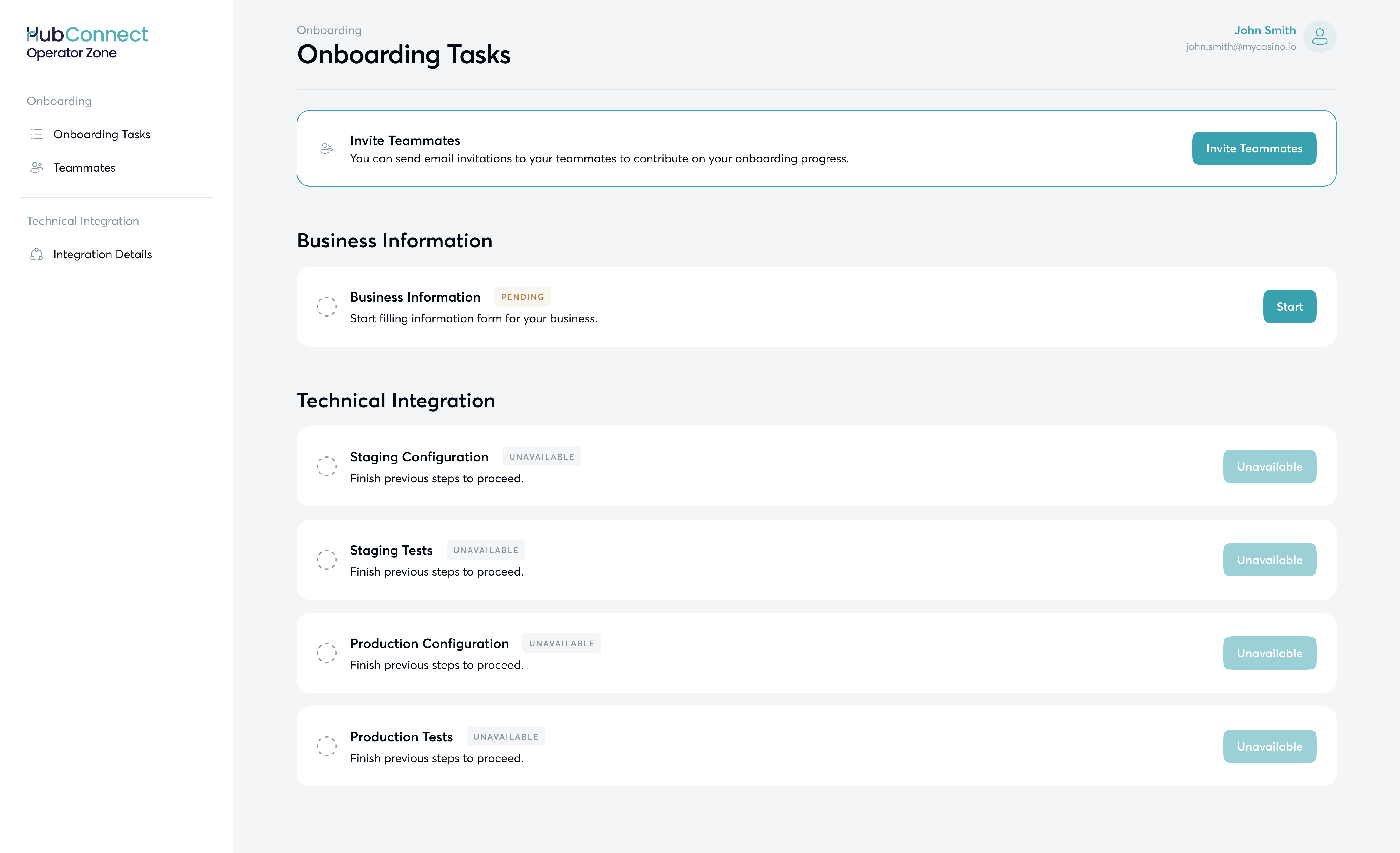
Getting started with Hub88 is now easier than ever. We’ve redesigned the entire onboarding journey — from setup to integration building — so everything happens in one central workspace: [the **HubConnect Operator Zone**](/hubconnect-operator-zone/overview-operator-zone.md). No more email back-and-forth, all steps are guided and transparent.
The onboarding consists of **two** main **stages**:
* **Business Information:** Submit your company details, brands, and operating markets. This helps us verify your business, ensure compliance, and customise your experience. Once approved, you’ll move straight to Technical Integration without delays or repeated steps.
* **Technical Integration:** A clear, four-step process covering **staging** configuration and testing, **production** configuration, and production testing. Each step is guided, with built-in checks and support from our team. You’ll always know what’s required and what comes next.
If you're curious about the detailed steps of the process, check out the guides on [HubConnect - Getting Started](/hubconnect-operator-zone/getting-started.md) and [Getting Started with Technical Integration](/developer-docs/operator-api-reference/getting-started.md).
Ready to join Hub88? Contact us at ****. From your first submission to final approval, our team is here to support you — helping you go live quickly, confidently, and smoothly.
---
# Agent Instructions
This documentation is published with GitBook. GitBook is the documentation platform designed so that both humans and AI agents can read, navigate, and reason over technical content effectively. Learn more at gitbook.com.
## Querying This Documentation
If you need additional information that is not directly available in this page, you can query the documentation dynamically by asking a question.
Perform an HTTP GET request on the current page URL with the `ask` query parameter, and the optional `goal` query parameter:
```
GET https://docs.hub88.io/product-news/june-2025/introducing-end-to-end-onboarding-and-integration-set-up.md?ask=&goal=
```
`ask` is the immediate question: it should be specific, self-contained, and written in natural language.
`goal` is optional and describes the broader end goal you are ultimately trying to accomplish on behalf of the user. GitBook uses it to tailor the answer towards what is most useful for that goal.
The response will contain a direct answer to the question and relevant excerpts and sources from the documentation.
Use this mechanism when the answer is not explicitly present in the current page, you need clarification or additional context, or you want to retrieve related documentation sections.