> For the complete documentation index, see [llms.txt](https://docs.hub88.io/llms.txt). Markdown versions of documentation pages are available by appending `.md` to page URLs; this page is available as [Markdown](https://docs.hub88.io/product-news/july-2025/introducing-product-catalogue.md).
# Introducing Product Catalogue
Self-serve access to Hub88’s full product offering directly in HubConnect Operator Zone.
**Released:** 24 July 2025
***
The [**Product Catalogue**](/hubconnect-operator-zone/product-catalogue.md) is now available in the **HubConnect Operator Zone** — giving you a centralised and always up-to-date directory of all supplier products available on the Hub88 platform.
This new functionality allows you to:
* Instantly explore all live suppliers and their product details.
* Evaluate product suitability using live, self-served data.
* Request product access and provider marketing assets in just two clicks.
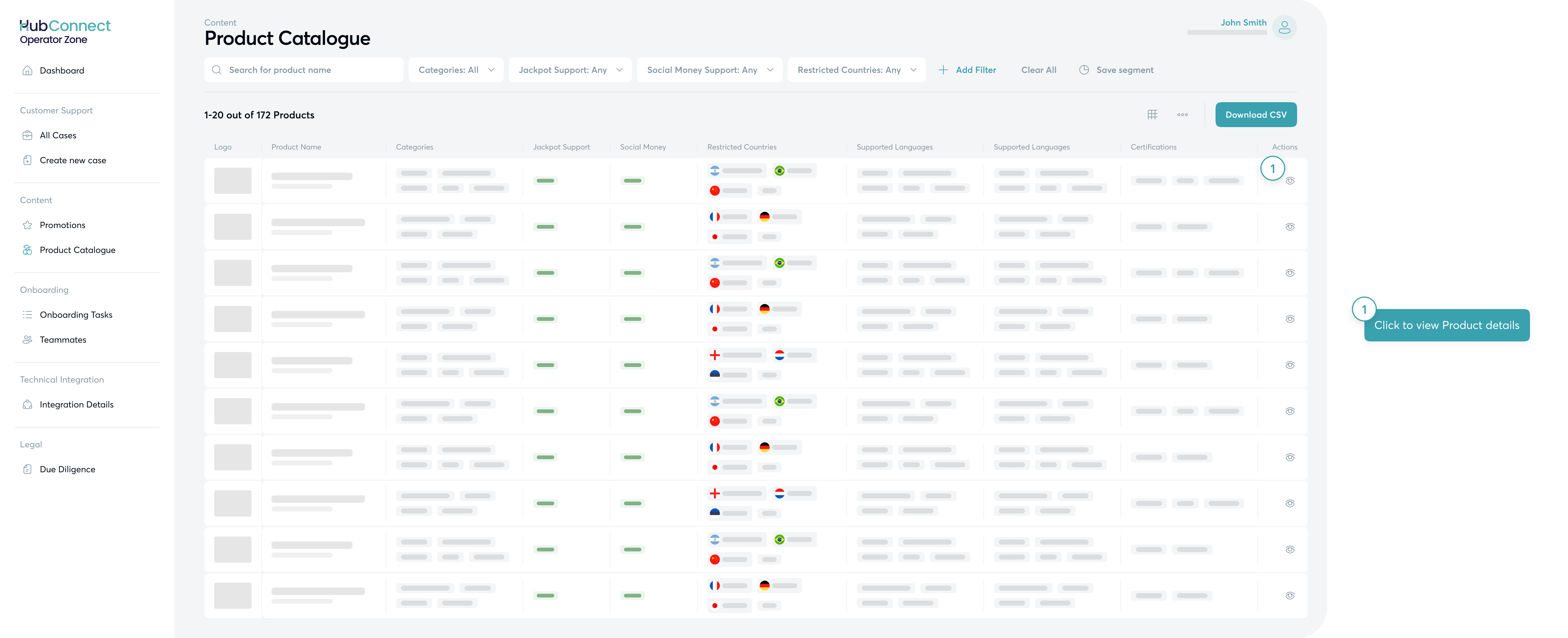
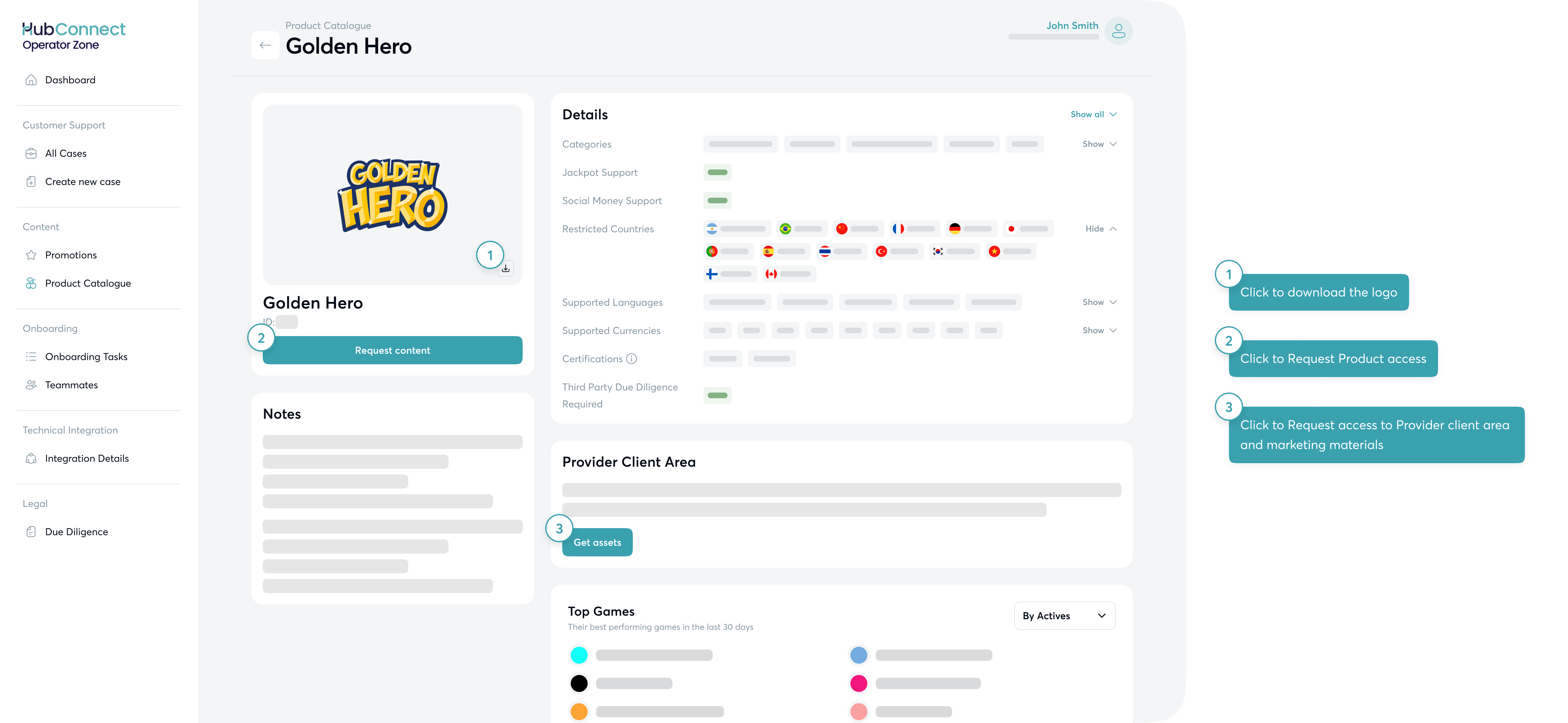
The Product Catalogue is split into two main views: table view and product details view.
#### [Table View](/hubconnect-operator-zone/product-catalogue.md#table-view)
Browse, filter, and export the full catalogue by supplier, with detailed columns including:
* Jackpot & Social Money support
* Supported markets, languages & currencies
* Compliance details (licenses & restrictions)
You can customise columns, save filter segments (per user), and export the view to CSV.
#### [Product Details View](/hubconnect-operator-zone/product-catalogue.md#product-details-view)
Drill into a supplier’s offering with:
* A full product profile and the latest updates
* Top-performing games (last 30 days by Actives, GGR, or Turnover)
* Quick actions to request access or provider marketing materials
This update reduces manual back-and-forth and empowers teams to make informed content decisions faster. Find it now under the **Operator Zone** in HubConnect!
---
# Agent Instructions
This documentation is published with GitBook. GitBook is the documentation platform designed so that both humans and AI agents can read, navigate, and reason over technical content effectively. Learn more at gitbook.com.
## Querying This Documentation
If you need additional information that is not directly available in this page, you can query the documentation dynamically by asking a question.
Perform an HTTP GET request on the current page URL with the `ask` query parameter, and the optional `goal` query parameter:
```
GET https://docs.hub88.io/product-news/july-2025/introducing-product-catalogue.md?ask=&goal=
```
`ask` is the immediate question: it should be specific, self-contained, and written in natural language.
`goal` is optional and describes the broader end goal you are ultimately trying to accomplish on behalf of the user. GitBook uses it to tailor the answer towards what is most useful for that goal.
The response will contain a direct answer to the question and relevant excerpts and sources from the documentation.
Use this mechanism when the answer is not explicitly present in the current page, you need clarification or additional context, or you want to retrieve related documentation sections.