# Data Insights

***

For game developers, tracking game performance through operators is crucial for identifying trends, player preferences, and regional engagement. Understanding which games are popular, how often they are played, and their geographical impact helps developers make informed decisions to improve and optimize their offerings.

In the **HubConnect Supplier Zone**, you have access to streamlined dashboards and robust data management systems that simplify this process, providing intuitive performance metrics and insights.

***

## Dashboards

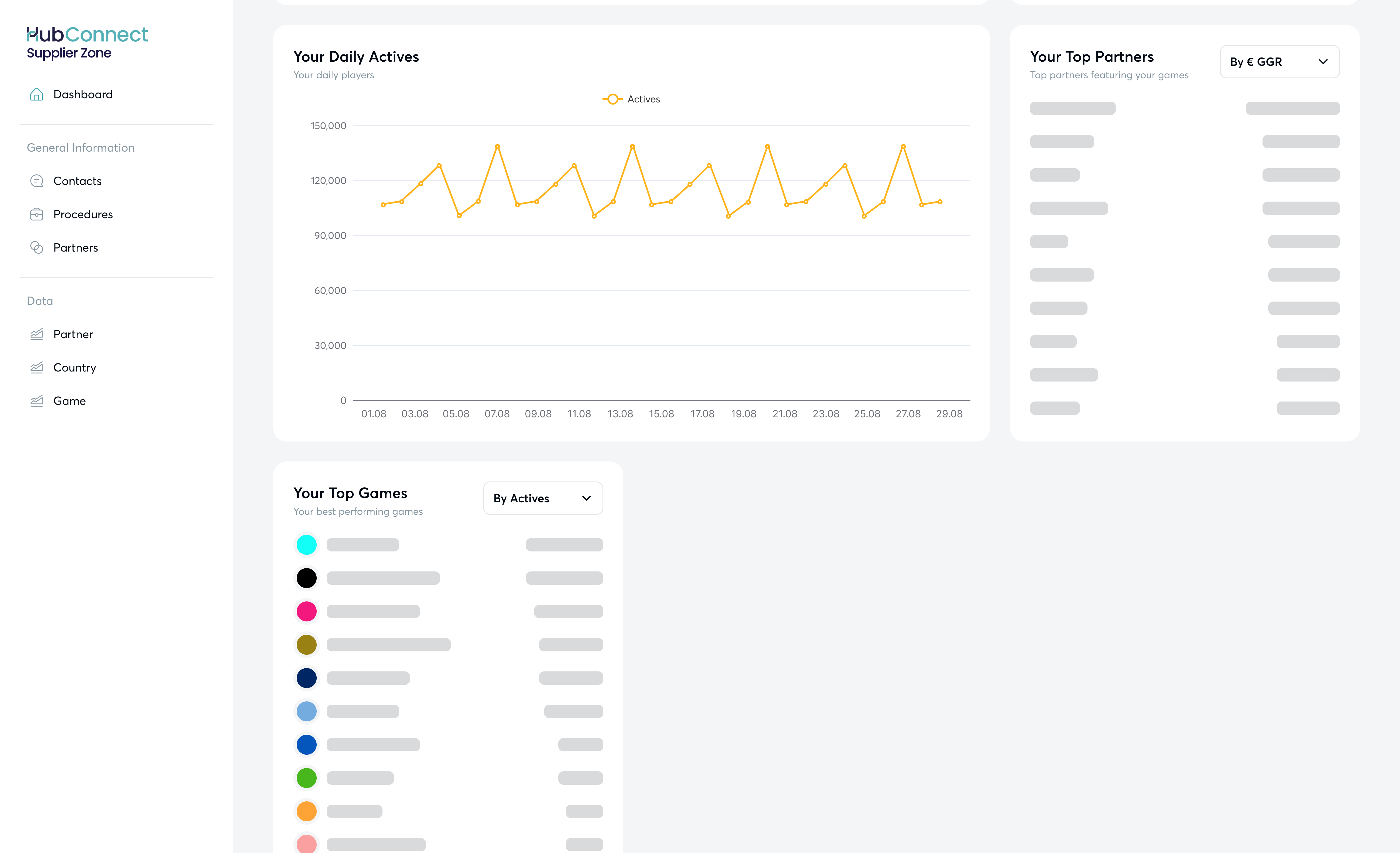
The **Dashboards** feature in HubConnect gives you an overview of key business insights, helping you track your performance through your operators.

You can view:

* daily turnover
* daily GGR (Gross Gaming Revenue)
* daily active players
* your top markets, partners (operators), and games

Hub88 also showcases your top markets based on turnover from the last 6 months, filtered by timeframes.

You can filter all these metrics by timeframe (yesterday, last 7 days, last 30 days, last month) and by the **Products** you provide. **Timeframes** act as a **global** f**irst-level filter**, and all dashboards (excluding Hub88’s top markets) will display according to your selected timeframe.

<figure><img src="/files/xFoNN891tal6Kop1qBLG" alt=""><figcaption><p>Dashboards during log-in</p></figcaption></figure>

**Main charts** - daily turnover, daily GGR, and daily activities - can be displayed as either line or bar charts and can be exported.

* **Change view type**: Click on the icons in the top-right corner.
* **Export dashboard**: Click the arrow icon (“Save as image”) to export the chart. \
  Note: export is only available in image format.

{% hint style="info" %}
Ensure the correct timeframe is selected before exporting the graph. Any changes in the timeframe will apply globally to all graphs in the dashboard view.
{% endhint %}

You can filter the aggregated performance lists (top partners, top games, top markets) by turnover, GGR, and active players.

<figure><img src="/files/wUigJEyLrrqJsxAt89ah" alt=""><figcaption><p>Dashboards in Supplier Zone</p></figcaption></figure>

***

## Data analysis

Data analysis is key to uncovering insights and improving business performance. HubConnect allows you to dive deeper into your performance data by **partner**, **country**, and **game**.

<figure><img src="/files/cscSg8mpaF8j3ukrOK5v" alt="" width="563"><figcaption><p>Data analysis views in HubConnect Supplier Zone</p></figcaption></figure>

All data is presented in a table format that is easy to consume. You can customize the displayed data and apply additional filters to refine your analysis.

The performance data is updated daily at **00:00 UTC.** When viewing data on a monthly basis, a new month appears on the first day of the month. Full historical data for a month will be displayed on the first day of the following month. The same applies for yearly overviews.

You can create **segments** for each data view. Segments allow you to focus on specific data types or apply additional filters to narrow your analysis. These segments are unique to each user and need to be created individually.

You can **export** all performance data views for further analysis in your preferred data management tools by clicking the small arrow in the top-right corner.

<figure><img src="/files/6XuVSPTym3kvGS4RVZ20" alt=""><figcaption></figcaption></figure>

***

### Partner data analysis

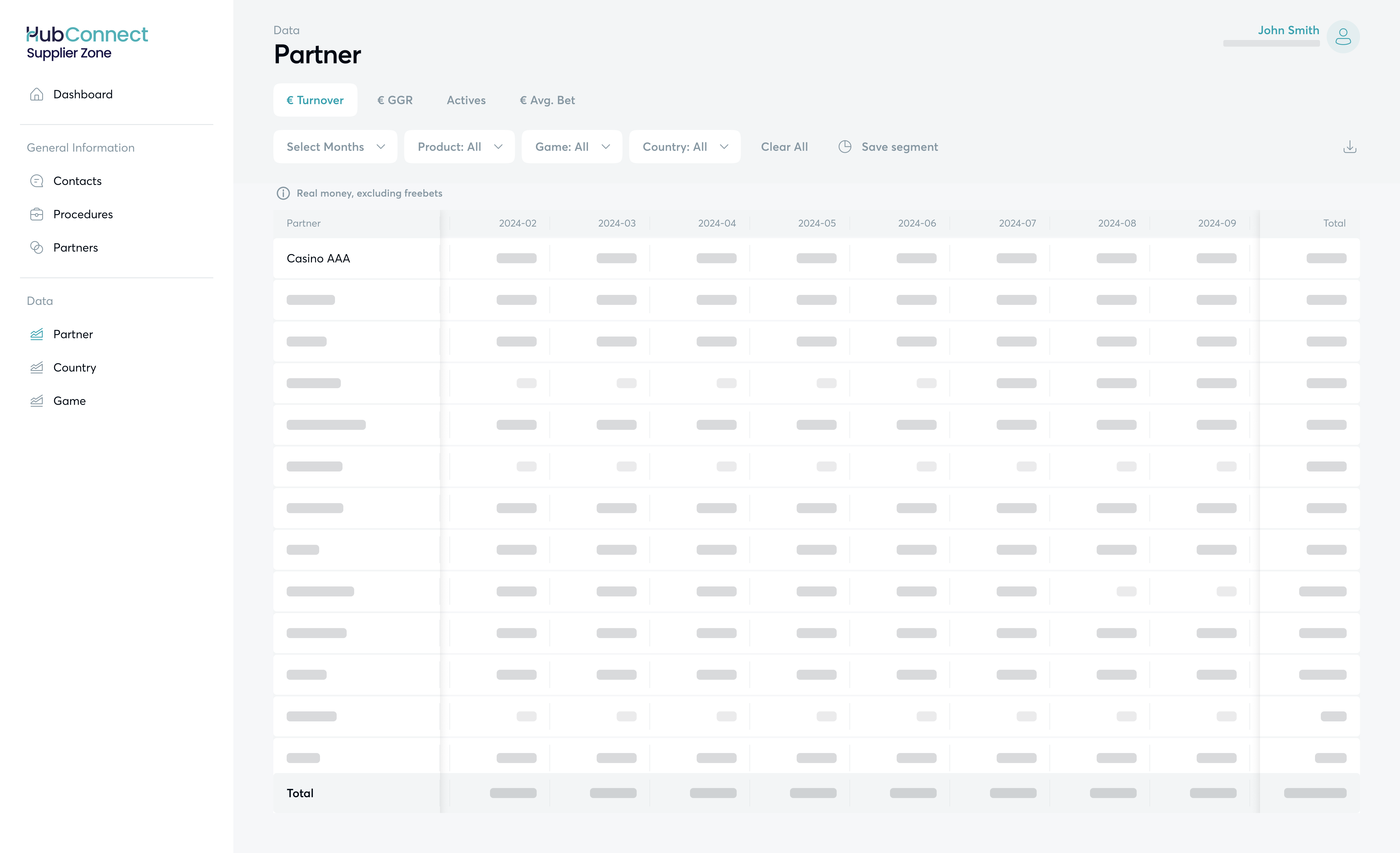
Data analysis by **Partner** helps you understand the performance of your operator-partners by analyzing trends in the products, games, and countries provided over the last 13 months.

<table data-card-size="large" data-view="cards"><thead><tr><th></th></tr></thead><tbody><tr><td><p><strong>Data types:</strong></p><ul><li>Turnover</li><li>GGR</li><li>Actives (players)</li><li>Average Bet amount</li></ul></td></tr><tr><td><p><strong>Filters:</strong></p><ul><li>Months (combined)</li><li>Products</li><li>Games</li><li>Country</li></ul></td></tr></tbody></table>

<figure><img src="/files/cscSg8mpaF8j3ukrOK5v" alt=""><figcaption><p>Partner data analysis in HubConnect</p></figcaption></figure>

***

### Country data analysis

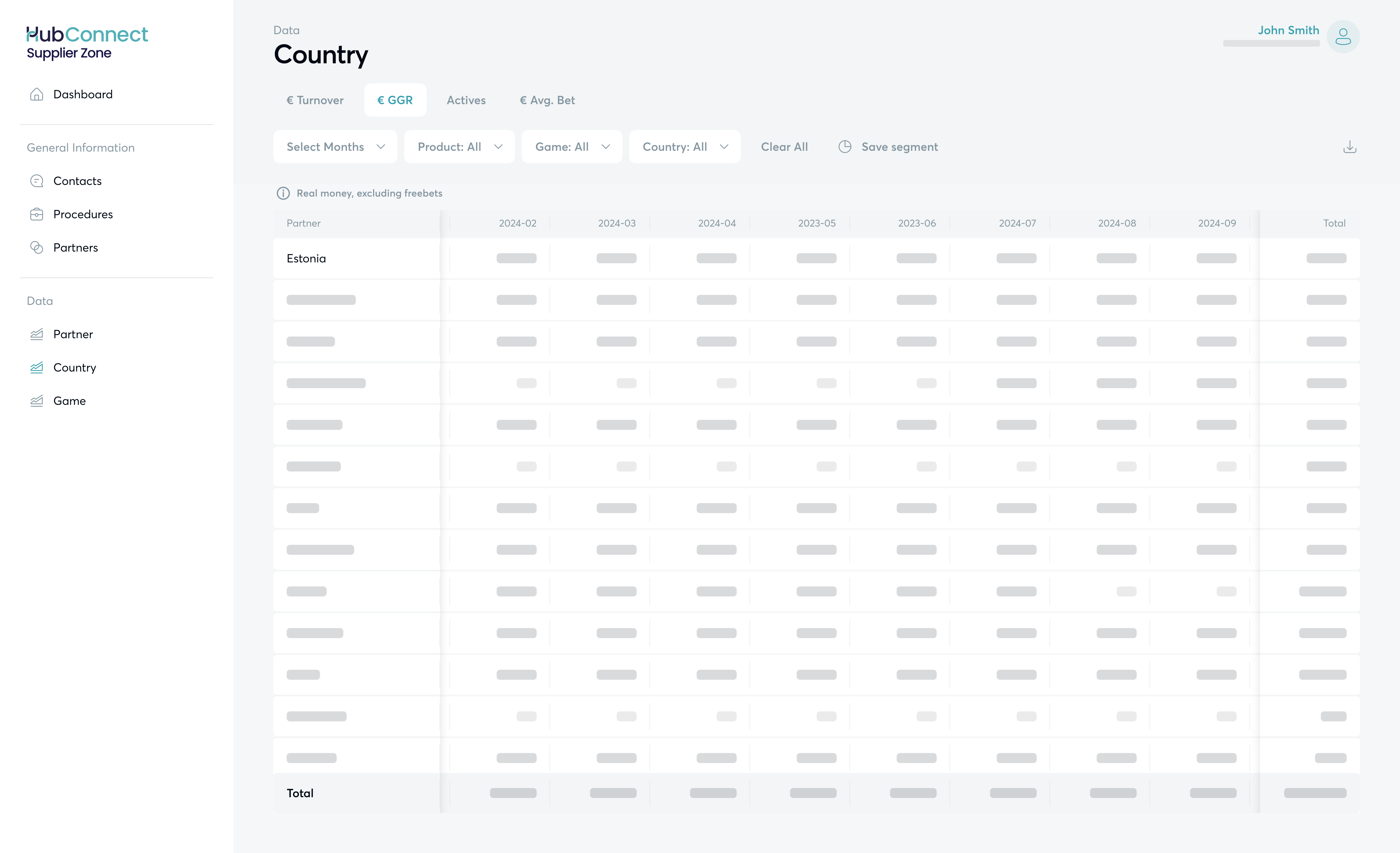
Data analysis by **Country** allows you to track performance based on players' locations and analyze trends in player preferences across products, games, and partners over the past 13 months.

<table data-card-size="large" data-view="cards"><thead><tr><th></th></tr></thead><tbody><tr><td><p><strong>Data Types:</strong></p><ul><li>Turnover</li><li>GGR</li><li>Actives (players)</li><li>Average Bet amount</li></ul></td></tr><tr><td><p><strong>Filters:</strong></p><ul><li>Months (combined)</li><li>Products</li><li>Games</li><li>Partner</li></ul></td></tr></tbody></table>

<figure><img src="/files/MPRGYUVC7H4HnKyvE6dn" alt=""><figcaption><p>Country data analysis in HubConnect</p></figcaption></figure>

***

### Game data analysis

Data analysis by **Game** lets you monitor how your games are performing cumulatively by country, partner, or product over the past 13 months.

<table data-card-size="large" data-view="cards"><thead><tr><th></th></tr></thead><tbody><tr><td><p><strong>Data Types:</strong></p><ul><li>Turnover</li><li>GGR</li><li>Actives (players)</li><li>Average Bet amount</li></ul></td></tr><tr><td><p><strong>Filters:</strong></p><ul><li>Months (combined)</li><li>Products</li><li>Country</li><li>Partner</li></ul></td></tr></tbody></table>

<figure><img src="/files/UYNBNqN6LppDdocbBCMH" alt=""><figcaption><p>Game data analysis view in HubConnect</p></figcaption></figure>


---

# Agent Instructions: Querying This Documentation

If you need additional information that is not directly available in this page, you can query the documentation dynamically by asking a question.

Perform an HTTP GET request on the current page URL with the `ask` query parameter:

```
GET https://docs.hub88.io/hubconnect-supplier-zone/data-insights.md?ask=<question>
```

The question should be specific, self-contained, and written in natural language.
The response will contain a direct answer to the question and relevant excerpts and sources from the documentation.

Use this mechanism when the answer is not explicitly present in the current page, you need clarification or additional context, or you want to retrieve related documentation sections.